image

imageDefect management · Defect tracking · Snag lists

Construction defect management software: log, assign and close every defect

Aproplan is construction defect management software for contractors, developers and owners. Log each defect on the plan with a photo and location, even offline, and send it to the trade responsible. Follow it until it is fixed and approved, with every step recorded.

Construction teams that track defects with Aproplan

  • BPC
  • Tractebel
  • BAM
  • Jan De Nul
  • Artes
  • Thomas & Piron

Why use defect management software?

On most projects, defects still travel by email, WhatsApp and spreadsheets. Photos lose the room they belong to, subcontractors hear about issues days later and nobody can say which defects are still open. Critical problems wait in the same list as paint touch-ups, and the same mistakes come back on the next project.

Defect management software puts every defect in one place, on the plan, with an owner, a priority and a due date. Your team fixes what matters first, and you can prove what was done.

Every defect captured with proof

Photo, mark-up and location in seconds.

Snag list app

Critical defects first

Prioritise by risk, not by who shouts loudest.

Digital inspections

See where defects come from

Spot the trades and areas that keep repeating.

Dashboards

A full audit trail

Who reported, fixed and approved it, and when.

Construction handover

How it works

How defect management works in Aproplan

From the moment a defect is spotted to the moment it is approved, everything happens in one app, on site and in the office. Each step below uses the same defect record, so nothing is retyped and nothing gets lost.

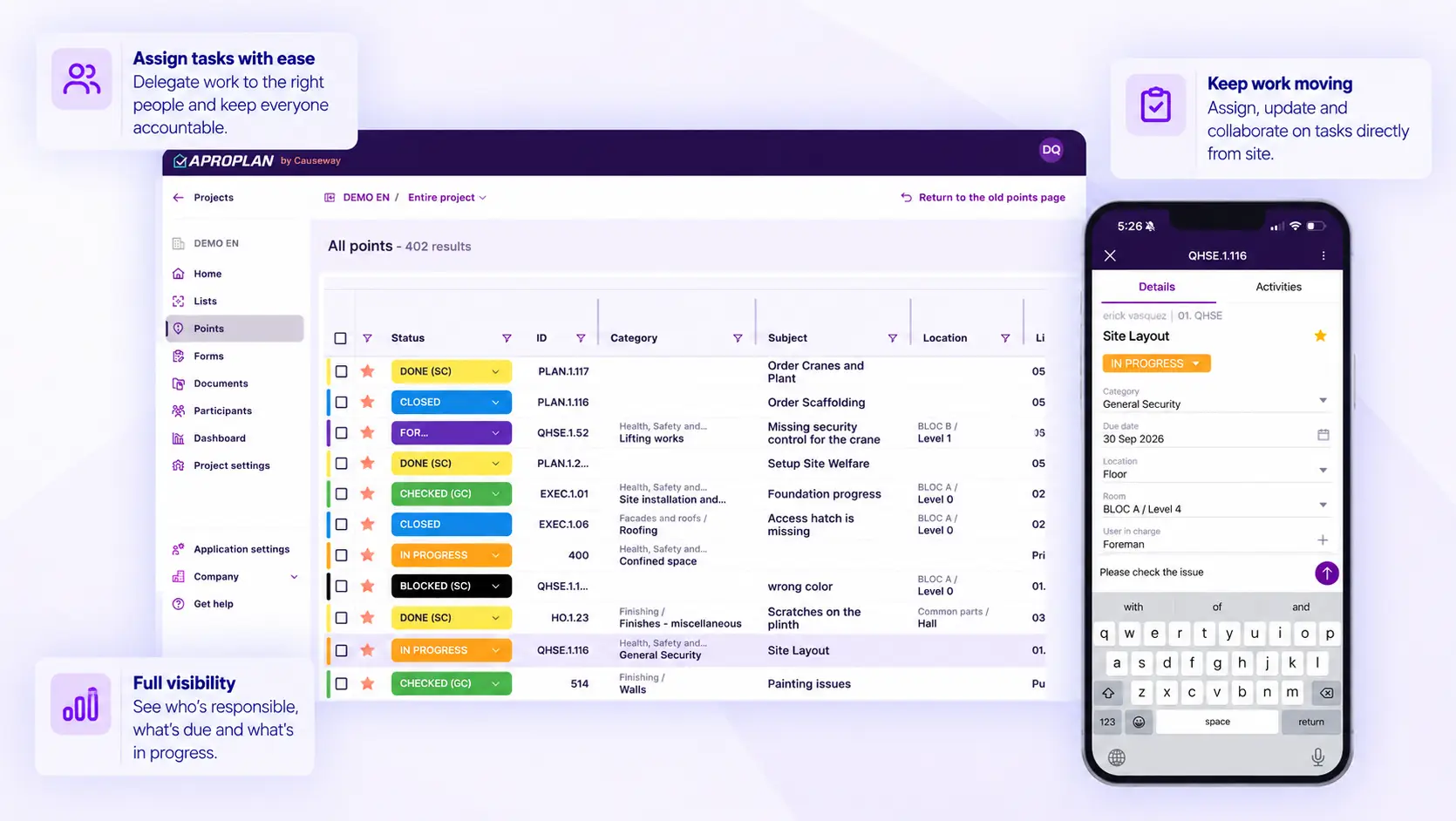
  1. Spot a defect, take a photo and drop it on the plan. Add a category, a priority and a due date, then assign it to the trade responsible in a few taps. It works offline too, and syncs as soon as you are back online.

    • Defects on the plan, with a photo and exact location.
    • Assigned to the right subcontractor, with a due date.
    • Categories and priorities that match your projects.
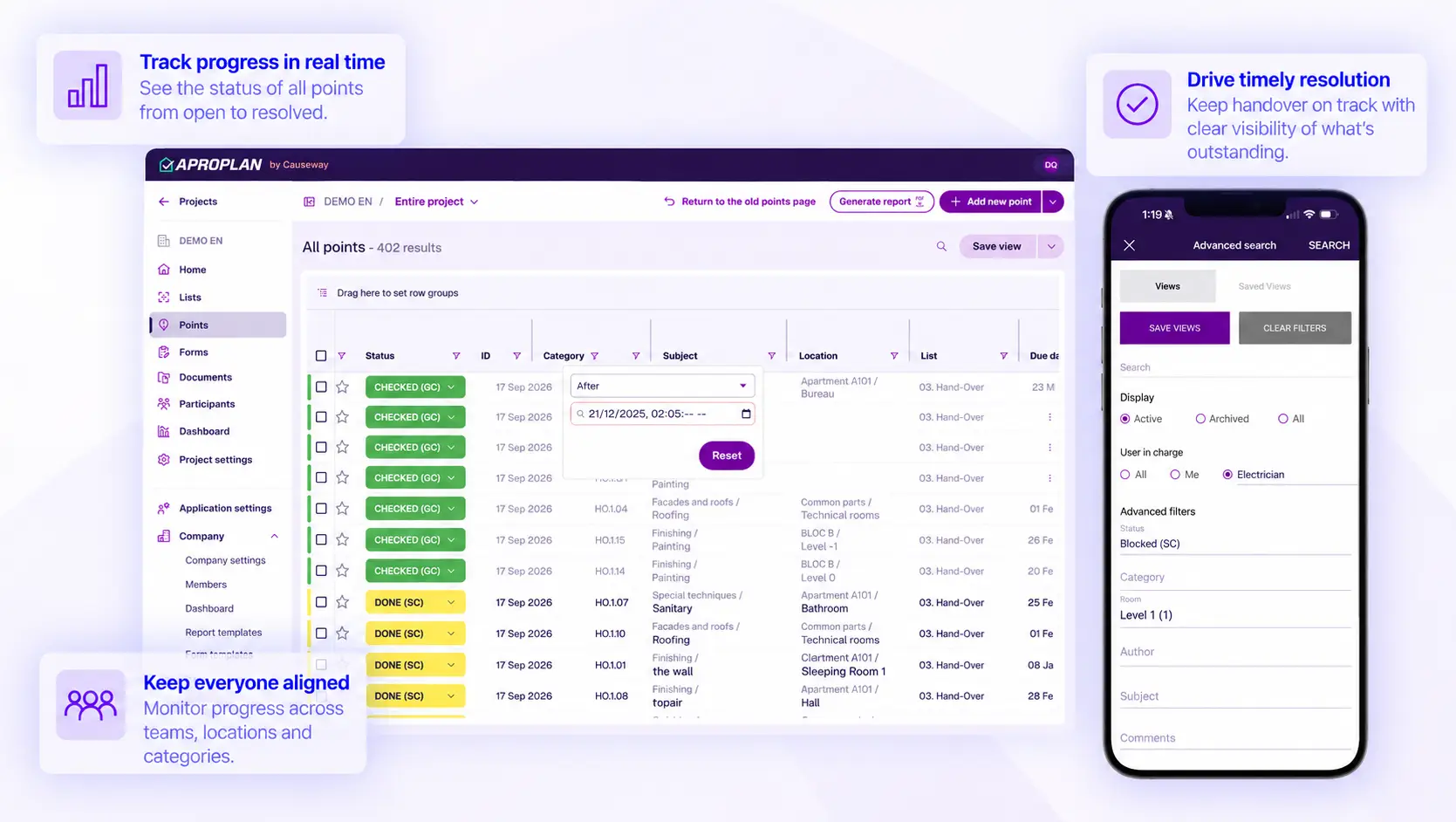
  2. See every defect's status as it changes: open, in progress, fixed or approved. Filter by project, area, trade or due date to find what is late, and follow up before it holds up the next phase or the handover.

    • Live status for every defect.
    • Filters by trade, area, priority and due date.
    • Overdue items visible at a glance.
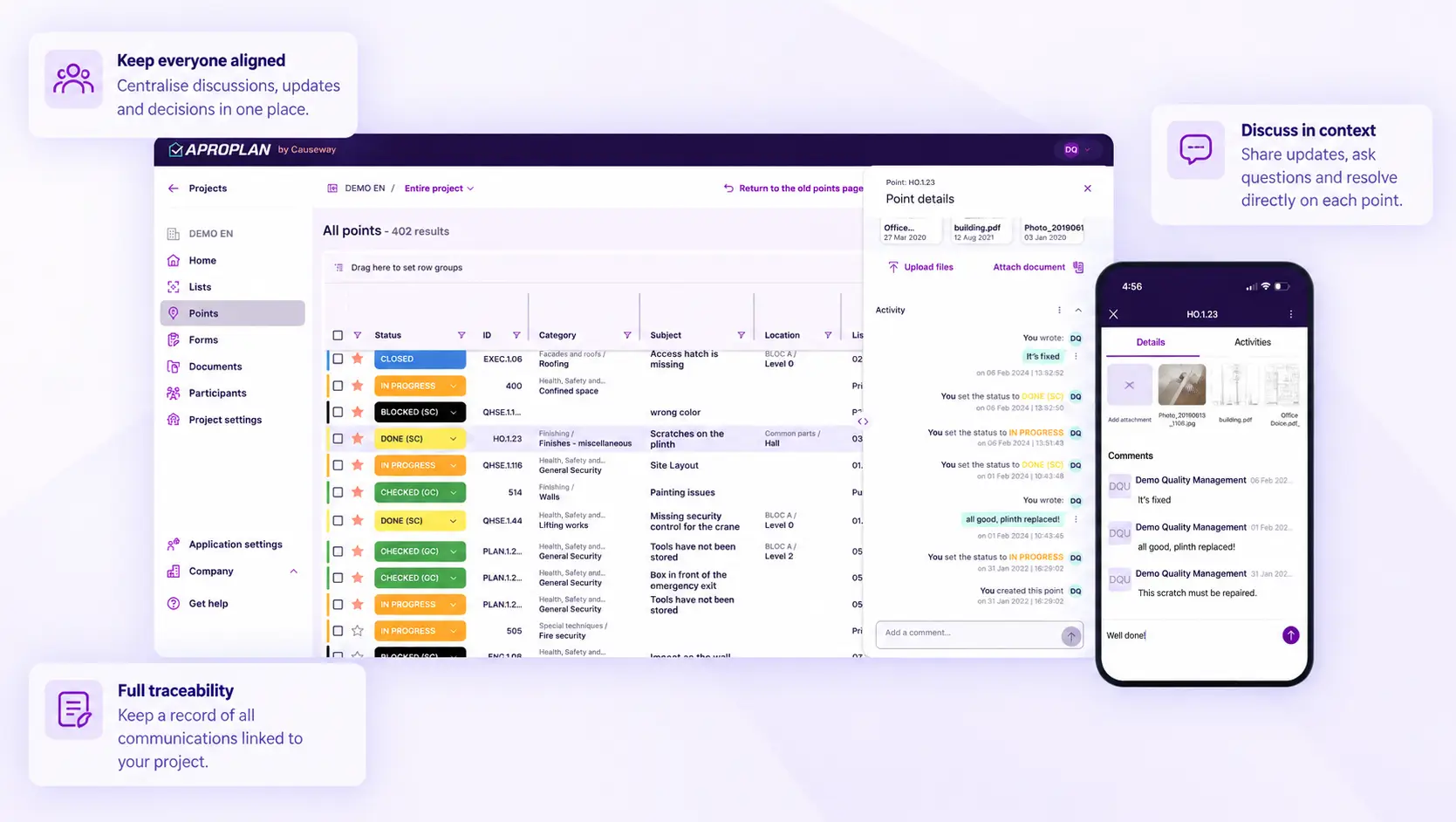
  3. Comments, photos and documents stay on the defect itself, not in email threads. Subcontractors see only their own items, reply with a photo of the fix and ask questions where everyone can follow them.

    • Comments and photos on each defect.
    • Subcontractors see only their own items.
    • No more chasing updates by phone or email.
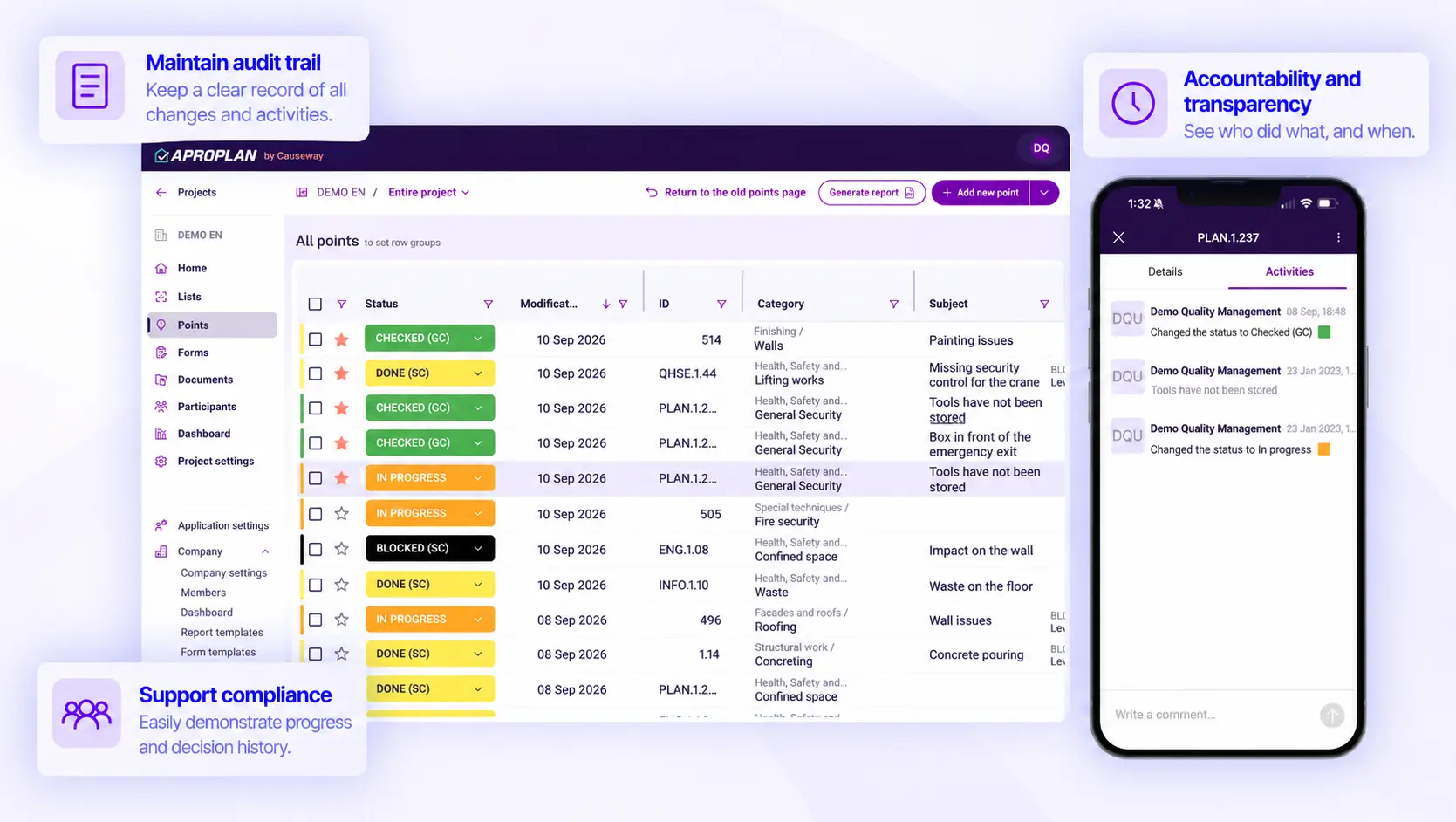
  4. When a fix is done, you check it on site and approve it or send it back. Every action is logged with who did it and when, so you have a clear record for the client, the handover or an audit.

    • Approve or reject each fix with proof.
    • Every change logged with user and time.
    • Defect reports ready to share as a PDF.
Task assignment Status per defect Category and owner Logged on site

Defect management process

The defect management process in construction, step by step

Defect management in construction is the process of finding, recording, fixing and verifying work that does not meet the drawings, the specification or the agreed quality. It runs through the whole project, from early quality inspections to the final snag list before handover. A good process makes sure every defect has an owner and a deadline, that critical issues are fixed first and that nothing is closed without proof. Over time, the data also shows which trades and details cause the most rework. These are the steps every defect goes through in Aproplan:

  • Defect spotted during an inspection or walkthrough
  • Photo and location pinned on the plan
  • Category and trade selected
  • Priority set: high, medium or low
  • Assigned to a subcontractor with a due date
  • Defect visible in the subcontractor's own list
  • Fix done, photo added as proof
  • Checked on site and approved or rejected
  • Closed, with the full history kept
  • Recurring defects reviewed by trade and area

FAQ

Construction defect management: FAQ

Answers to the questions contractors ask most about defect management. Want to see it with your own projects? Book a demo.

01 What is construction defect management software?

Construction defect management software is a tool for recording, assigning and tracking defects on a building project. Teams log each defect with a photo and its location on the plan, assign it to the responsible trade with a due date, and follow it until the fix is checked and approved. Every step is stored, so the project keeps a full record.

02 What is the defect management process in construction?

It usually has six steps: identify the defect during an inspection or walkthrough, record it with a photo and location, assign it to the responsible trade with a priority and due date, fix it, verify the fix on site, and close it. Reviewing closed defects by trade and area then helps prevent the same issues on the next project.

03 What is the difference between a defect and a snag?

A snag is usually a minor item, often cosmetic, found near completion, such as a scratched door or missing sealant. A defect is broader: any work that does not meet the drawings, specification or regulations, at any stage of the project. In the US, the list of items to fix before completion is called a punch list.

04 What is the difference between patent and latent defects?

A patent defect is visible on a reasonable inspection, such as a cracked tile or a door that does not close. A latent defect is hidden and only appears later, such as poor waterproofing that leads to damp after a year. Patent defects are normally recorded at handover, while latent defects may be raised after completion, depending on the contract and local law.

05 What are the most common construction defects?

Finishing defects are the most frequent: cracks in plaster, paint and tiling issues, and doors or windows that do not close properly. Water ingress and poor waterproofing, mechanical and electrical faults, and missing fire-stopping are also common. Tracking defects by category in Aproplan shows which ones come back on your own projects.

06 How do subcontractors receive their defects?

You assign each defect to a subcontractor. They see only their own items, with the photo, plan location and due date, and add a photo once the fix is done. You then approve it or send it back with a comment.

07 Can I record defects offline?

Yes. Download plans and forms beforehand and you can log defects, take photos and assign them without a connection, for example in a basement or a new build without network. Everything syncs automatically once you are back online.

08 How do I prioritise defects?

Give each defect a priority and a due date when you log it. Safety risks, water ingress and anything that blocks the next trade usually come first, cosmetic items last. Filters by priority, trade and due date then show your team what to fix first.

09 Can I report on defects by trade or area?

Yes. Dashboards show open and closed defects by project, trade, area and category, and you can export the data to Excel or Power BI. Defect reports can be generated as a PDF and shared with the client or the design team.

10 Does Aproplan keep an audit trail of every defect?

Yes. Each defect keeps its full history: who reported it, who it was assigned to, every comment and photo, and who approved the fix and when. That record is useful at handover, in a dispute or during an audit.

Close every defect, with proof

A specialist shows you how to log, assign and track defects with your own categories, priorities and subcontractors.

Site Manager and builder on a construction site