In progressSite manager
Logged and assigned
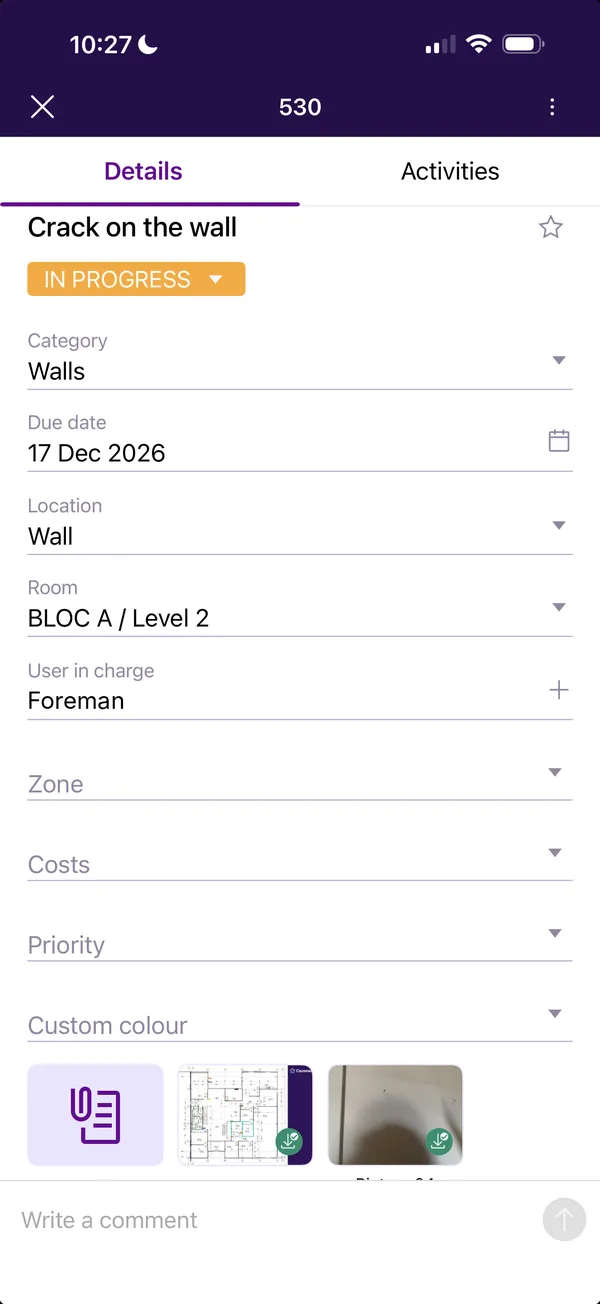
The snag is on the plan with its photo, room, category and due date. The person in charge finds it in their list.
Snag list app · Punch lists · Snag reports
Aproplan is the snag list app for contractors, developers and site managers. Take a photo, pin the snag on the plan and send it to the right subcontractor in seconds, even without signal. Track every fix to close-out and share the snag report in one click.
On site
Everything is captured on the spot, in the app, even in a basement without signal.
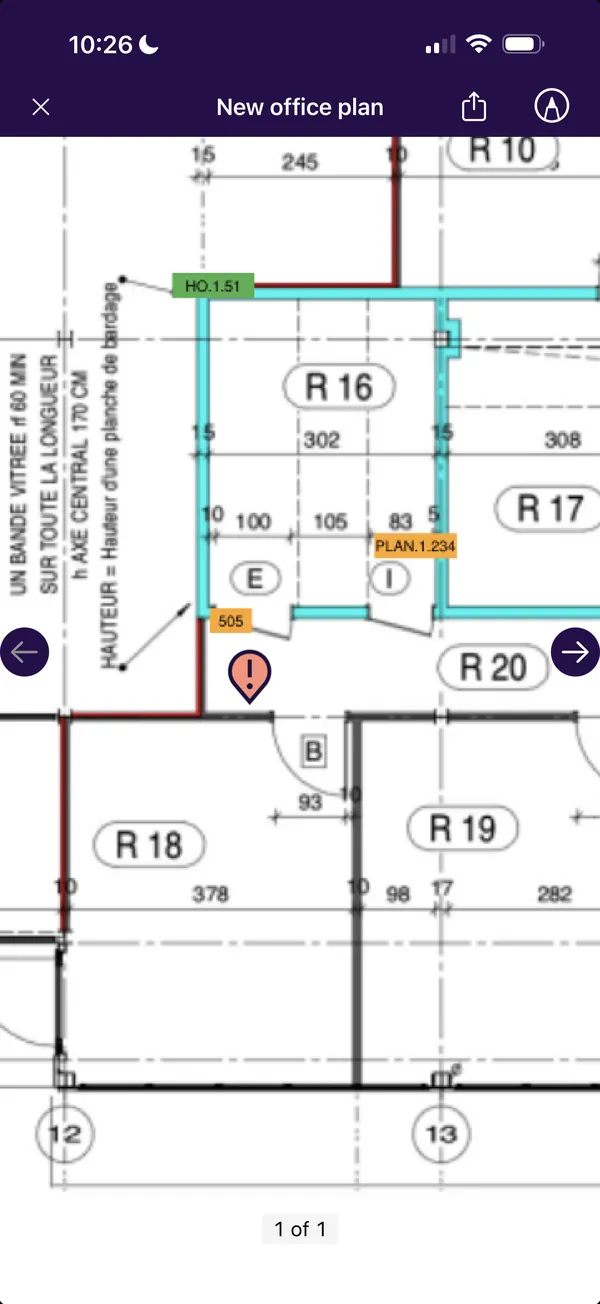
Open the drawing and tap the exact spot. The snag lands on the plan, so nobody has to guess where "second floor, near the stairs" is.
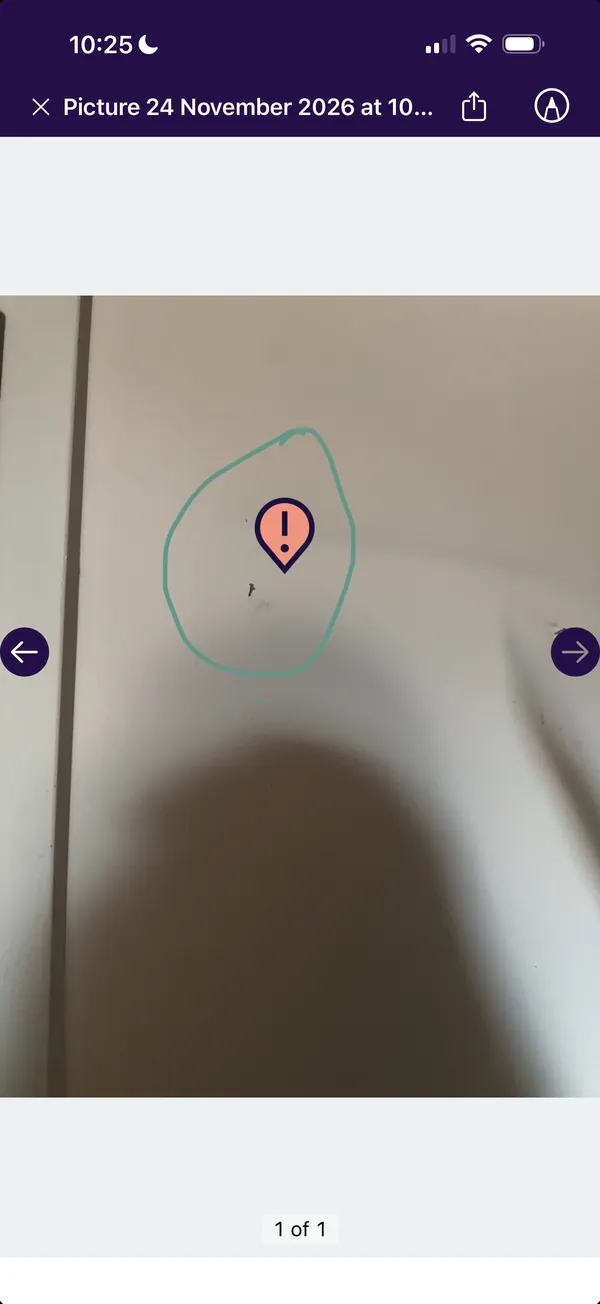
Take a photo in the app, then circle the problem or add an arrow or a note. Add as many photos as you need.
Choose the category, the room and who is in charge, then set a due date. Lists and categories are your own.
The subcontractor finds the snag in their own list, with the photo, the plan and the due date. Each company only sees its own snags.
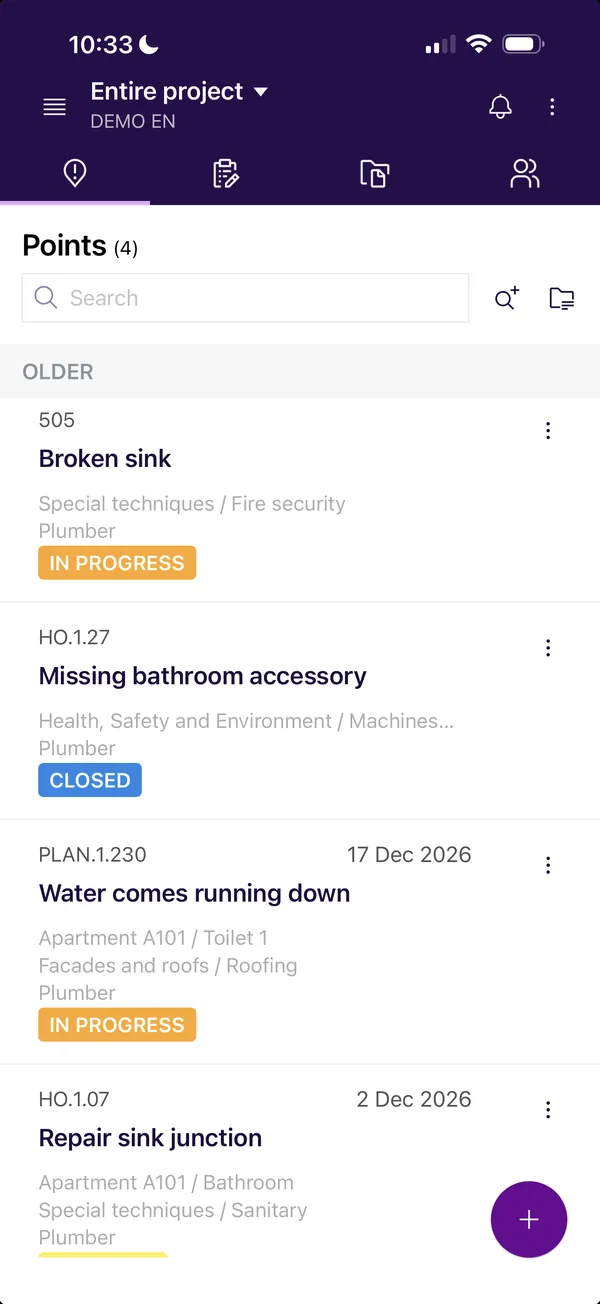
The life of a snag
Every snag has an owner, a status and a full history. Office and site see the same list, so nobody chases updates by phone.
In progressSite manager
The snag is on the plan with its photo, room, category and due date. The person in charge finds it in their list.
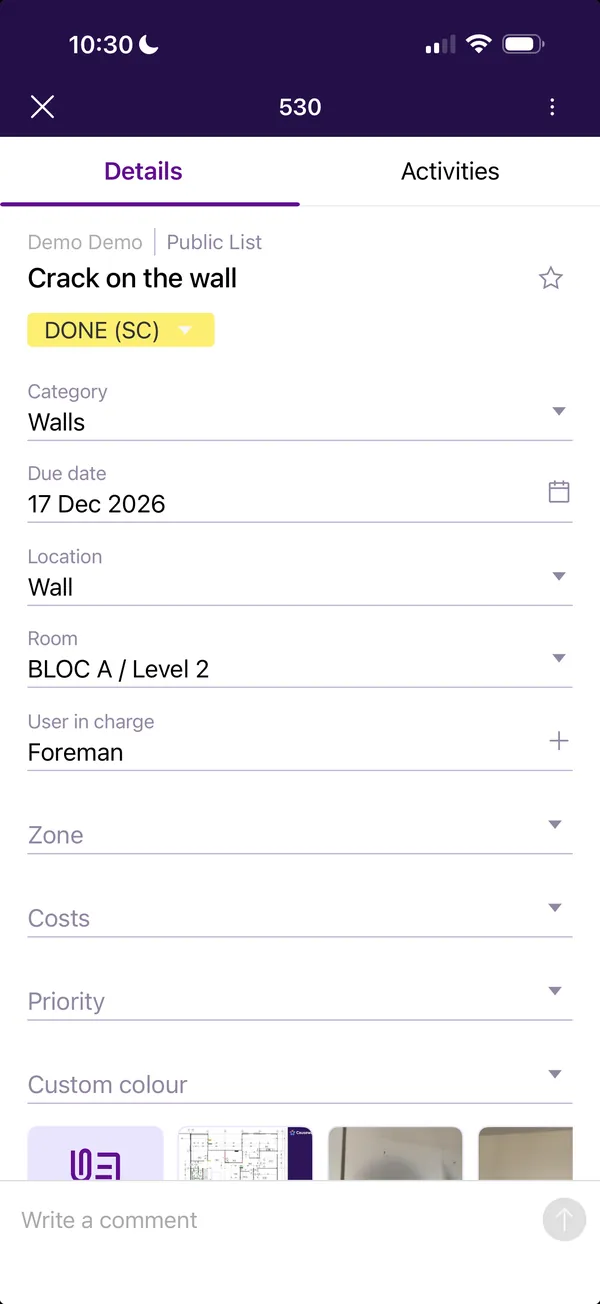
Done (SC)Subcontractor
The subcontractor repairs it, adds a photo of the work as proof and marks it Done. Questions and answers stay on the snag, not in email.
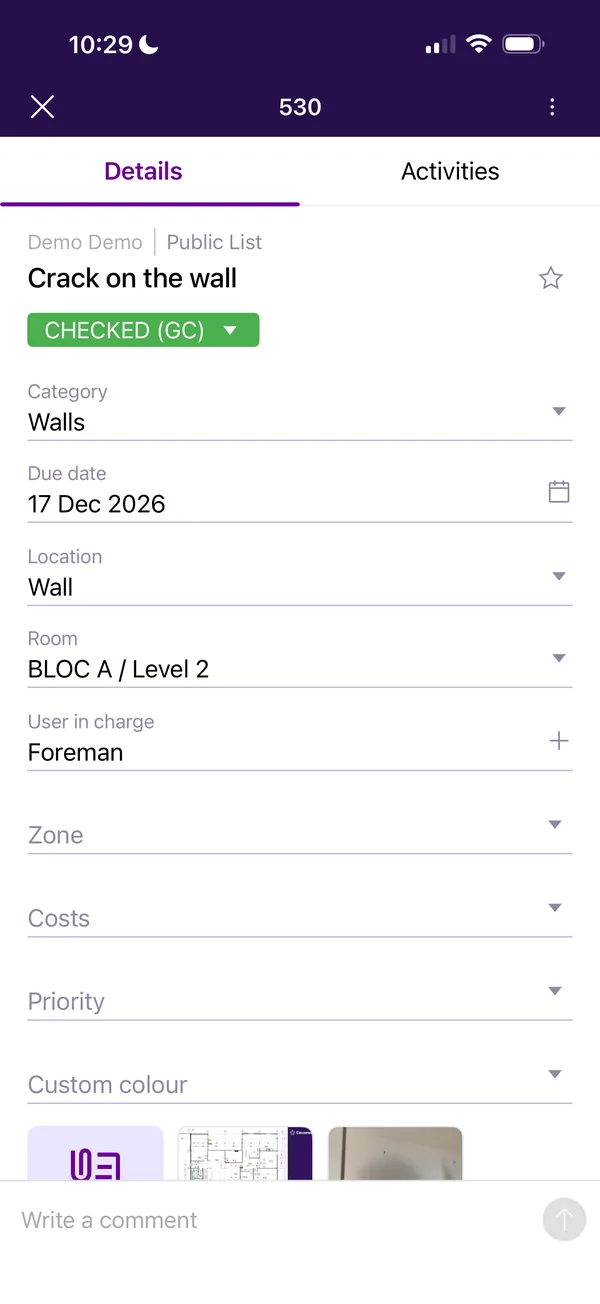
Checked (GC)General contractor
You check the repair on site and approve it, or send it back with a comment. Every change is logged with who and when.
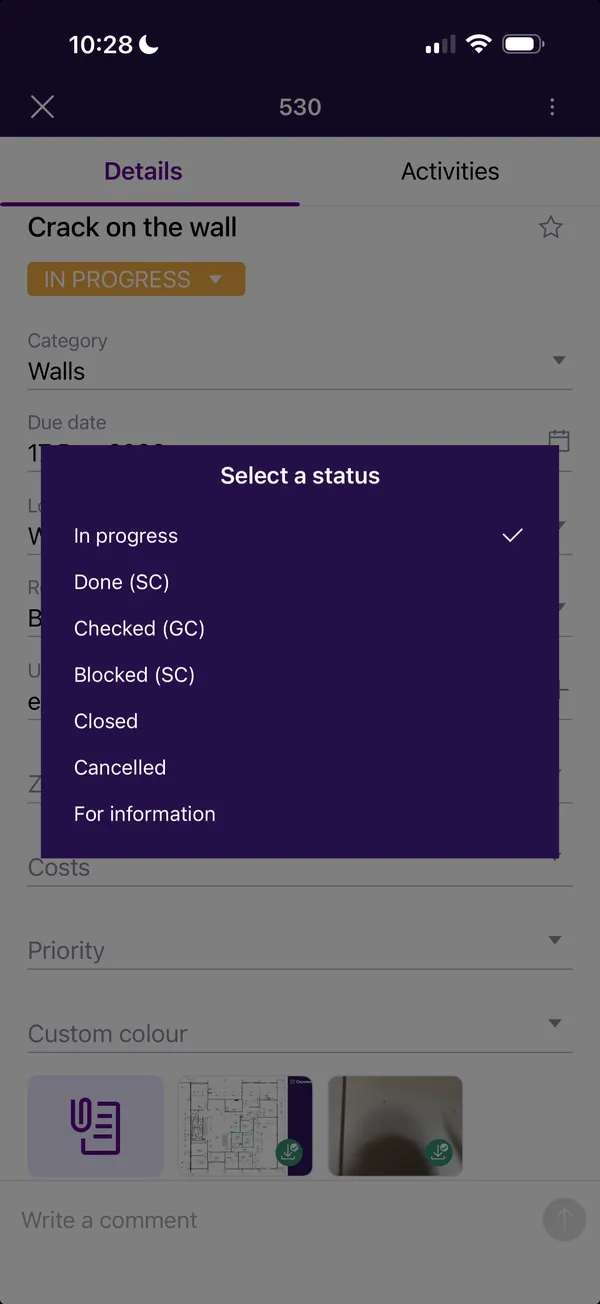
ClosedEveryone
The snag is closed and its full history is kept, ready for the snag report and the handover file.
From site to office
What's logged on site shows up on the web plan viewer with its status and who is in charge. Nothing to type up again.
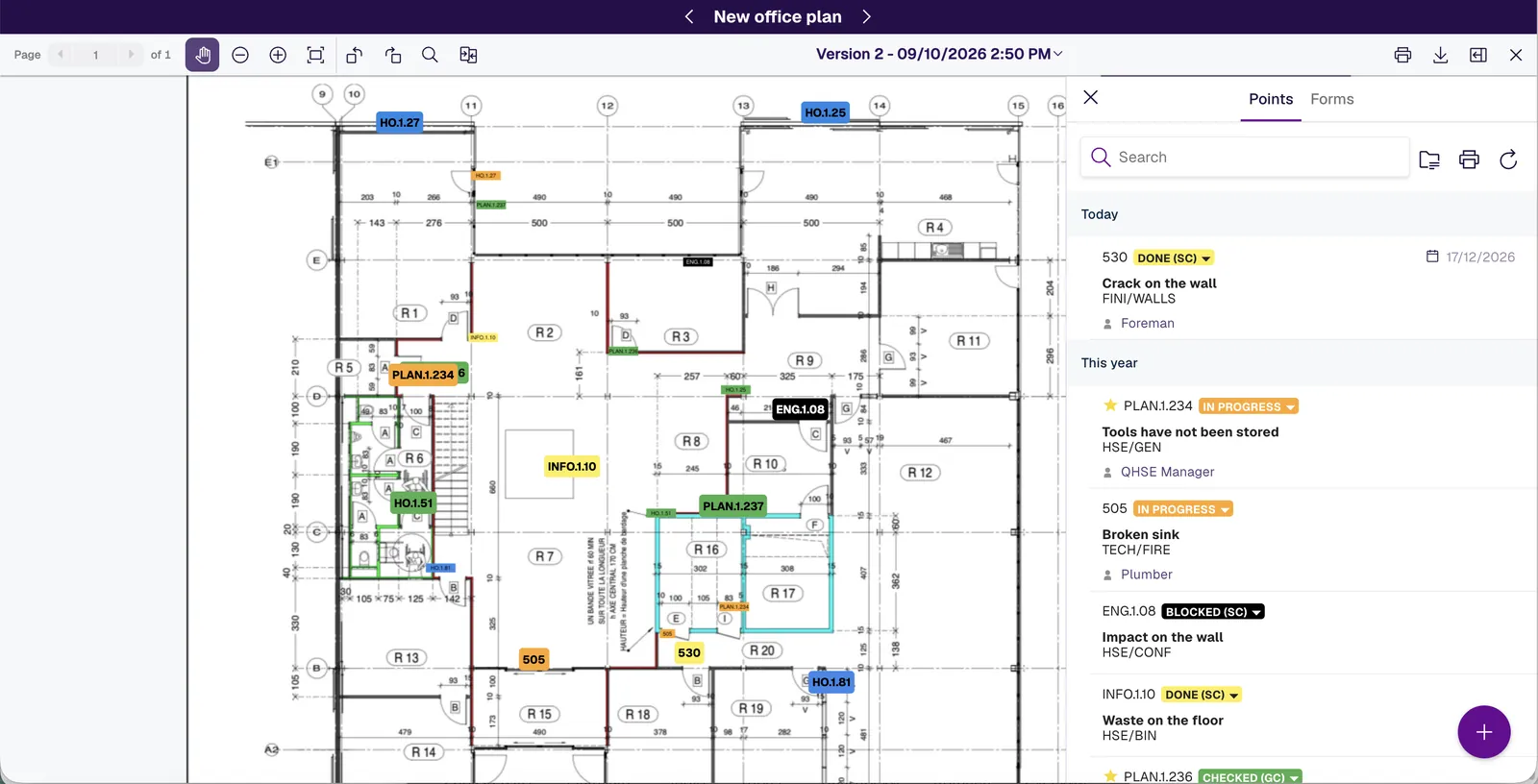
Filter by status, location, list, category or due date, and save the views you use every week.
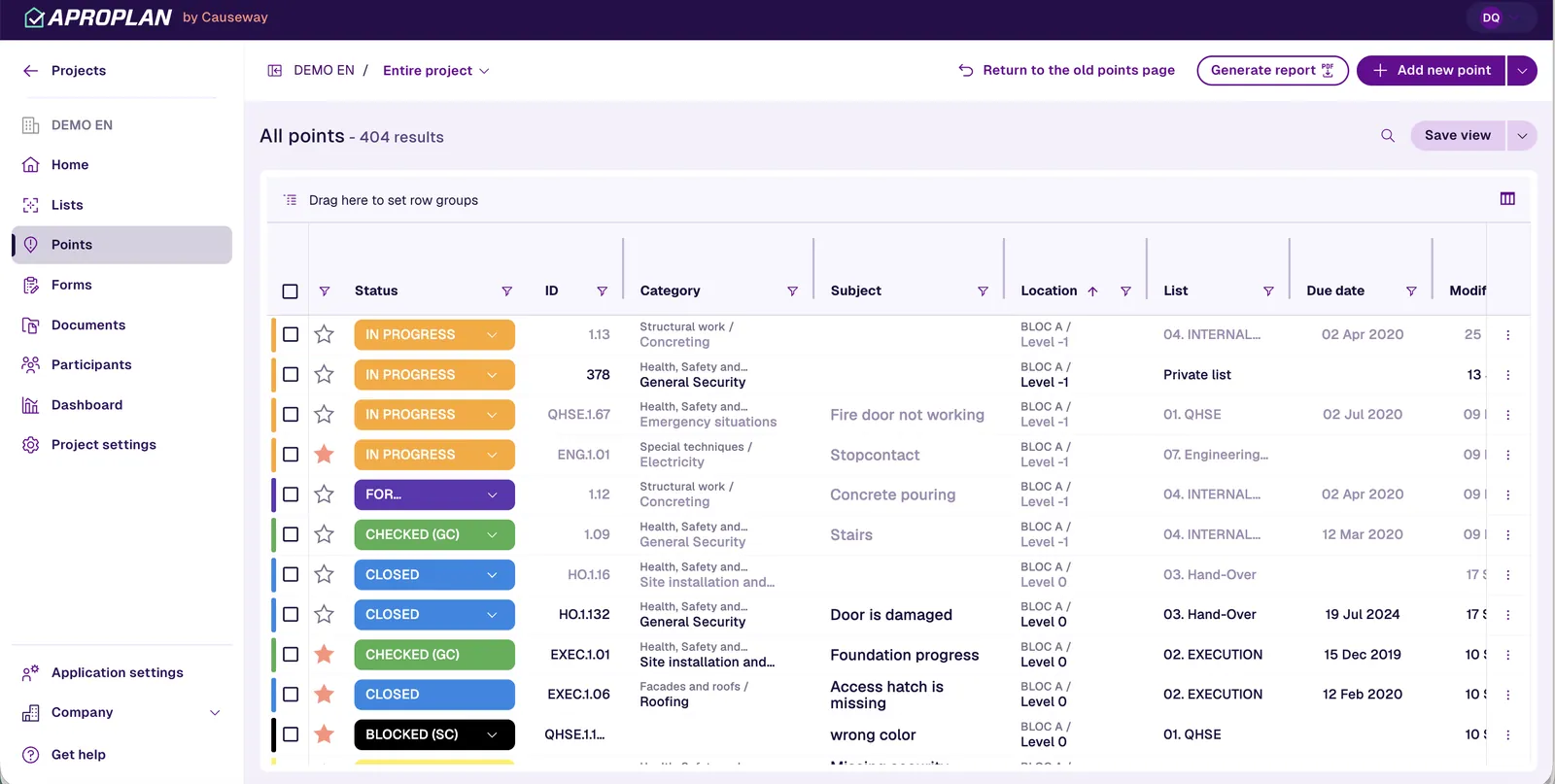
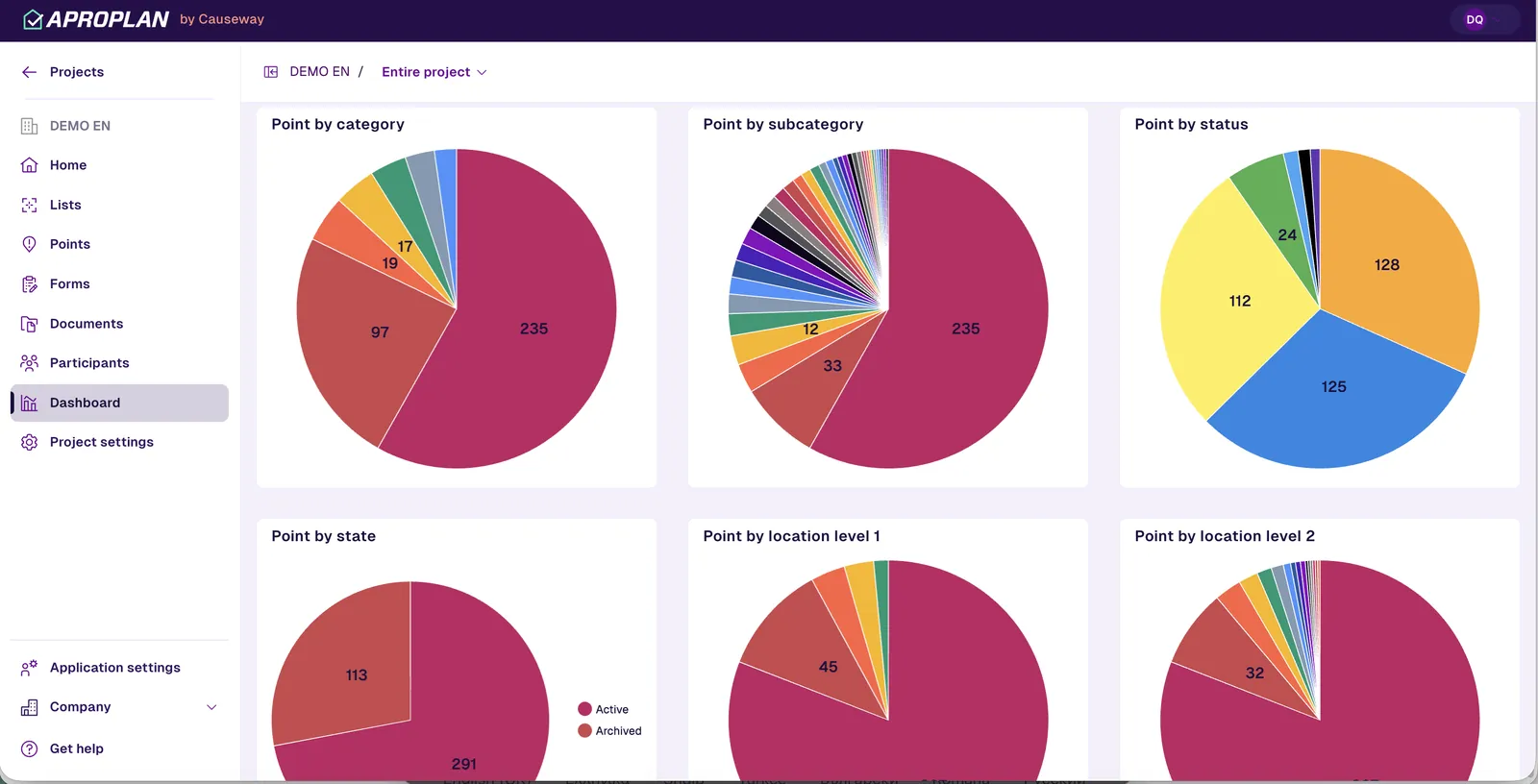
Dashboards show snags by category, status and location, so you see at a glance what is still open.
Snag reports
Generate the snag report straight from your list: the plan with every pin, the photos, the status and who is in charge. Share it as a PDF with your client or your subcontractors.
Snagging software features
Pin snags on PDF plans and see them by zone and floor.
Plan managementSeveral photos per snag, annotated on the spot.
Your own categories, trades and priority levels.
Log and update snags in basements and new builds without signal.
Offline accessEach company sees only its own snags.
Questions and answers stay on the snag, not in email.
Open snags by trade, zone or due date at a glance.
PDF snag reports, plus Excel export from the web app.
Paper and Excel vs an app
A snag list app replaces typed-up notes, photos sent by message and shared spreadsheets with one live list that site, office and subcontractors all work from.
| Task | Paper or Excel | Aproplan snag list app |
|---|---|---|
| Logging a snag | Notes and photos typed up later | Photo, plan pin and trade in seconds on site |
| Location | "Second floor, near the stairs" | Pinned on the plan |
| Sending to trades | Email or WhatsApp, one by one | Each subcontractor sees their own list |
| Proof of the fix | Ask for a photo, hope it arrives | Repair photo on the snag |
| Status | Spreadsheet updated by one person | Live for everyone |
| Snag report | Hours of copy and paste | One click |
Snag list or punch list?
A snag list (UK and Europe) and a punch list (US) are the same thing: the list of defects to fix before or after handover. Aproplan handles both, from the first walkthrough to the final handover report.
For the full handover process, see construction handover software.
Franki sent 520 remarks to 10 subcontractors in 4 days. Thomas & Piron and Vesta use Aproplan to avoid discussions about tasks and close out their projects more smoothly.
FAQ
Answers to the questions teams ask most about snag lists and the Aproplan app. Want to see it on your own plans? Book a demo.
A snag list is the list of defects, unfinished work and small problems found during site inspections, usually before handover. Each snag records what is wrong, where it is, who has to fix it and by when, so every item can be closed before the client moves in.
There is no real difference. “Snag list” is used in the UK and Europe and “punch list” in the US. Both are the list of defects to fix before or after handover, and Aproplan handles them the same way.
For each snag: a short description, a photo, its location on the plan, the trade or subcontractor responsible, a due date and its status. A history of comments and changes helps when a fix is disputed.
Yes. Download the plans you need, then log and update snags with photos without a connection, for example in a basement or a new build. Everything syncs once you are back online.
Each subcontractor sees the snags assigned to their company in the app or on the web. They fix the snag, add a photo of the repair and mark it Done. You then check it on site and approve it, or send it back with a comment.
Yes. Snag reports are exported as PDF, with the plan, the pins, the photos, the status and who is in charge. In the web app, you can also export the snag list itself to Excel.
Yes. The app runs on iPhone, iPad and Android phones and tablets, and the web version runs in the browser for office work. Everyone works on the same list.
Yes. Set up your own lists, categories and trades per project, so snags are sorted the way your team works and each report shows exactly what each party needs.
A snag list is one part of defect management: the open items at a given moment, often before handover. Defect management covers the whole process during the project, from logging and assigning to fixing, checking and reporting. See defect management.
Setting up a project means uploading the plans, inviting the companies and choosing your categories. Subcontractors only need the app and an invitation, so they can start on their first snag straight away.
See how to log, assign and close snags on your own plans with a specialist.