
Regularly, a point is made with the QSE auditor, and we extract the forms and non-conformities, and we make an impression at the instant T of the platform to ensure a follow-up of the points. Aproplan, is a living app.
Keep every project detail organised with Aproplan
powered by Workspaces
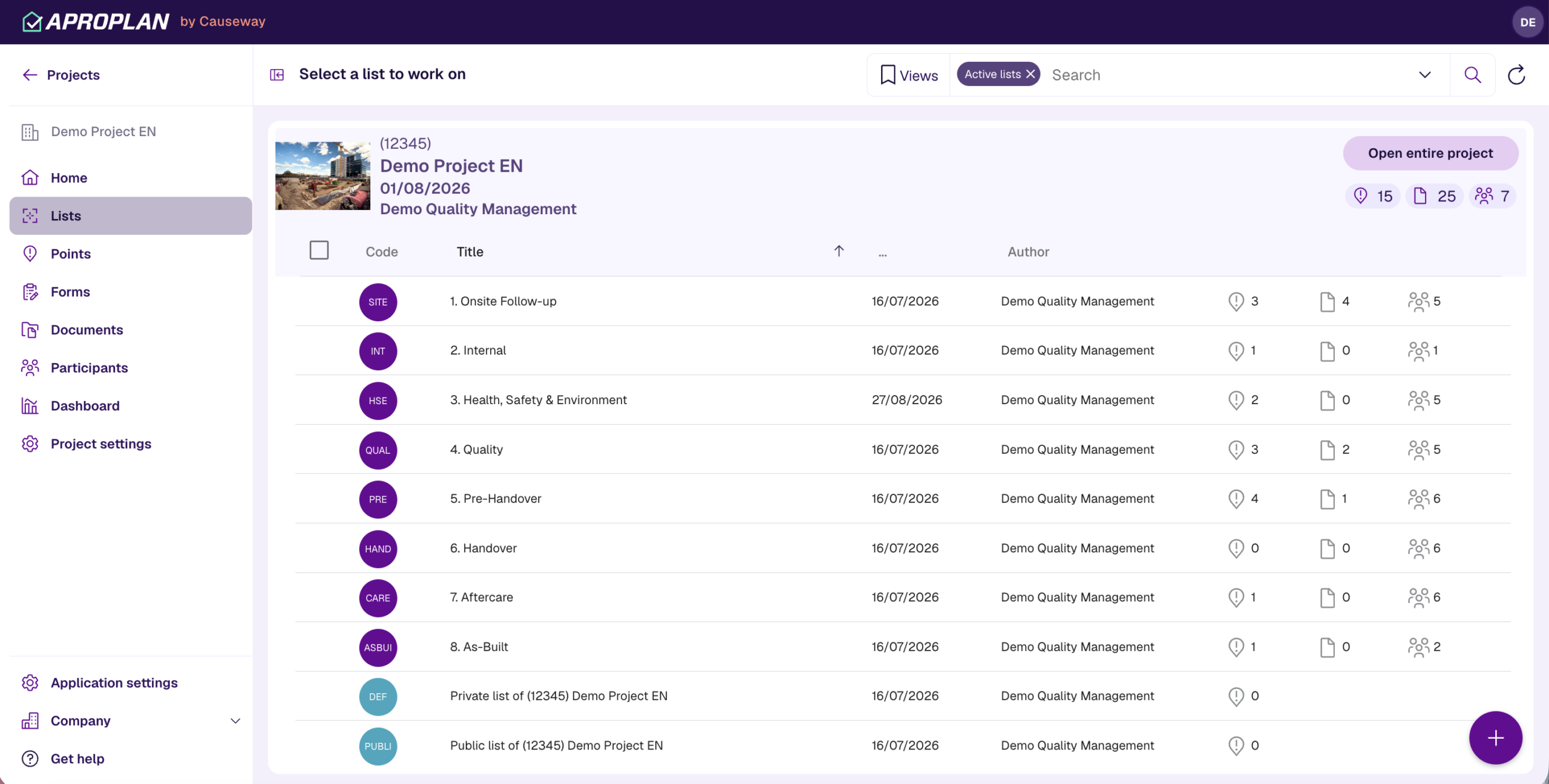
Organise project information
Group every aspect of your project—plans, drawings, checklists, reports, and snag lists—into dedicated Workspaces. This keeps your site teams from digging through endless folders, helping them quickly find what they need to stay on track.
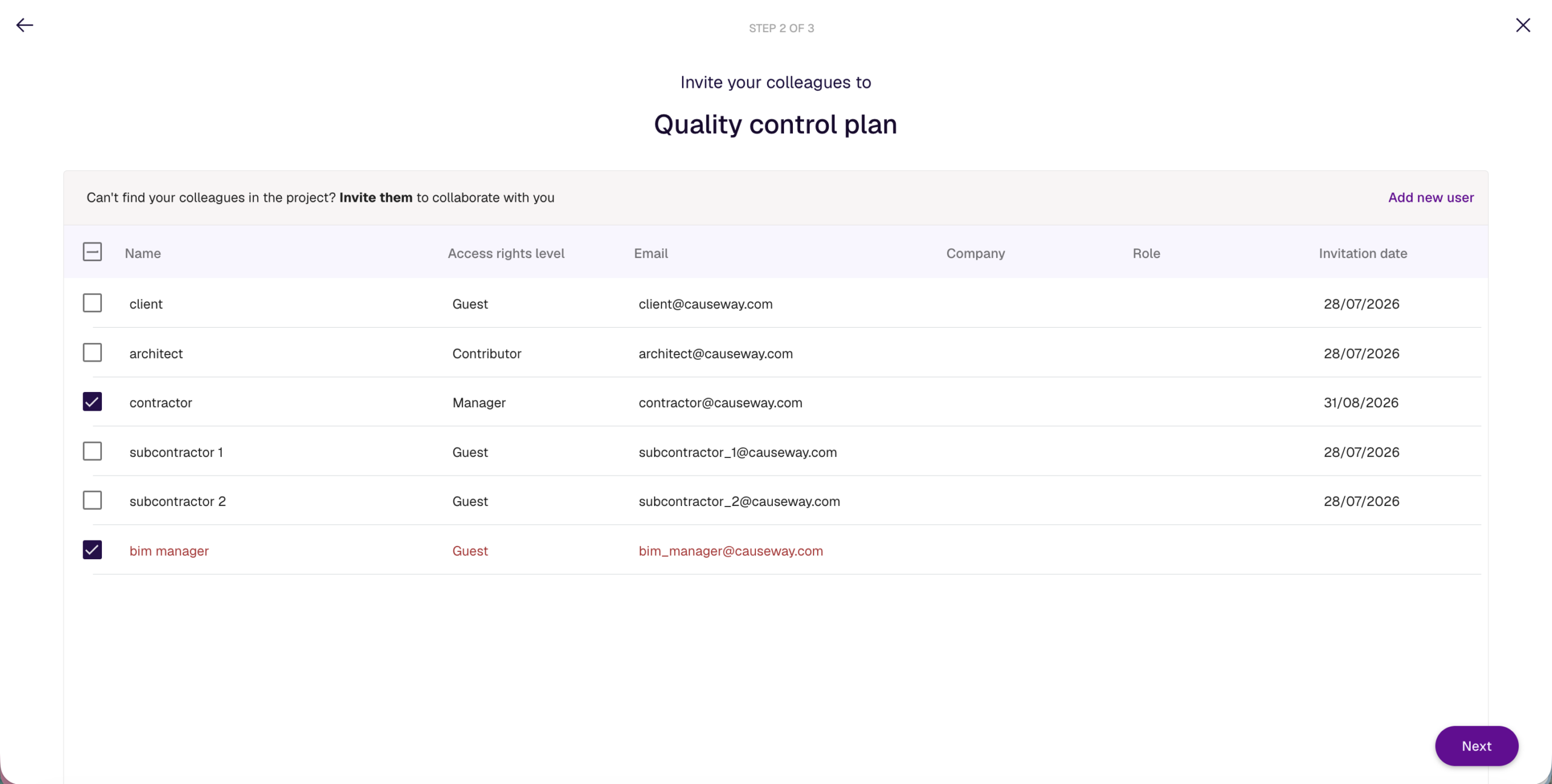
Control access and permissions
Easily decide who sees what. Give subcontractors access only to their tasks, let site managers view everything, and ensure stakeholders have read-only visibility. You stay in control of sensitive documents and ensure nothing gets misplaced or shared too widely.
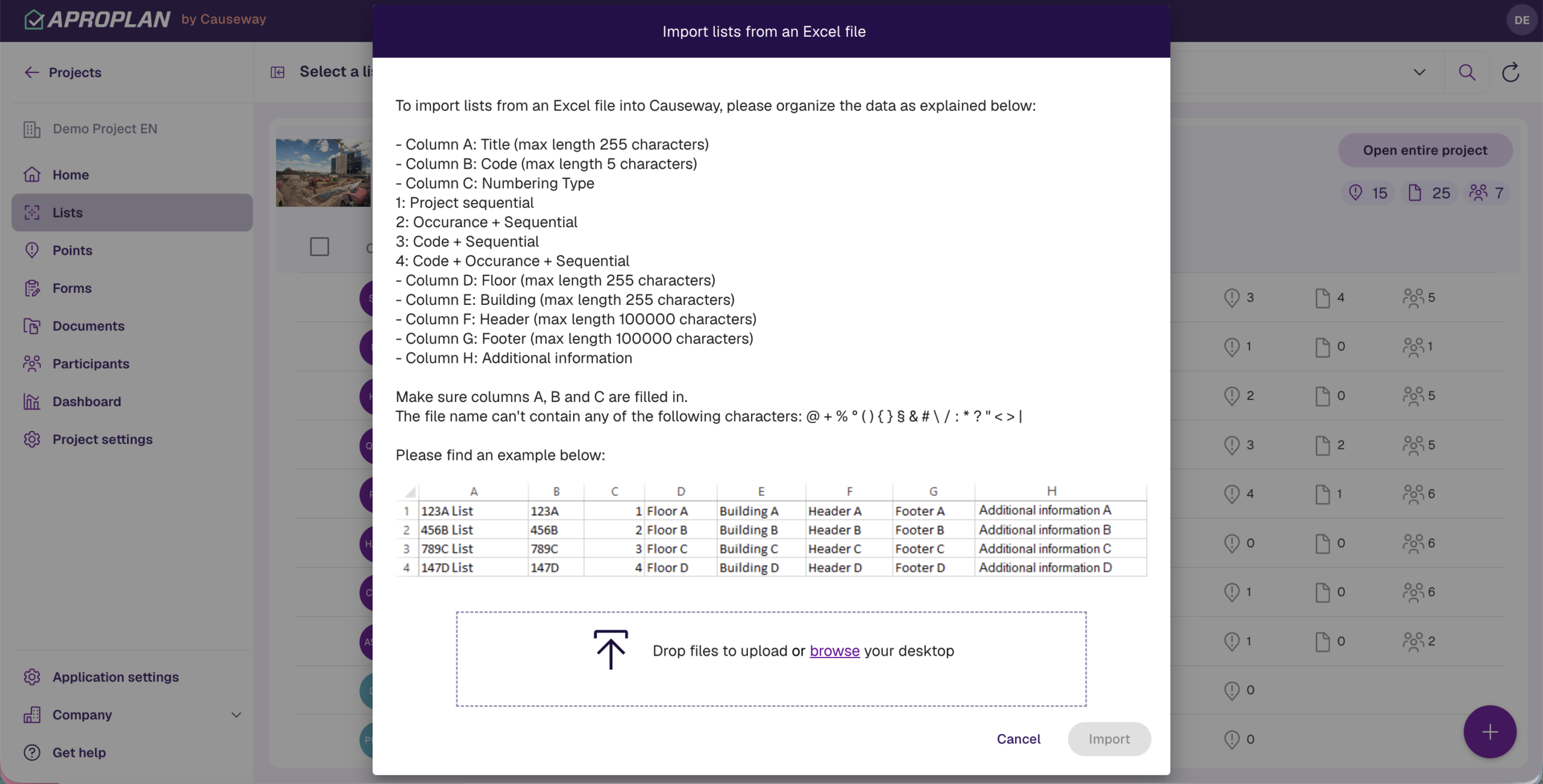
Standardise workflows across projects
Save time by creating Workspace templates you can replicate across multiple projects. Standardise naming conventions, inspection forms, and workflows to speed up onboarding and create consistency company-wide.

Organise project information
Group every aspect of your project—plans, drawings, checklists, reports, and snag lists—into dedicated Workspaces. This keeps your site teams from digging through endless folders, helping them quickly find what they need to stay on track.
Control access and permissions
Easily decide who sees what. Give subcontractors access only to their tasks, let site managers view everything, and ensure stakeholders have read-only visibility. You stay in control of sensitive documents and ensure nothing gets misplaced or shared too widely.
Standardise workflows across projects
Save time by creating Workspace templates you can replicate across multiple projects. Standardise naming conventions, inspection forms, and workflows to speed up onboarding and create consistency company-wide.
Drive success to your projects like the rest of our clients with Aproplan







How Workspaces changed our clients projects






See Workspaces in action
Discover how Workspaces can bring clarity and control to every stage of your project. In a personalised demo, we’ll show you how to organise information effortlessly, manage permissions with confidence, and connect seamlessly with tools like Forms and Dashboards for real-time insights. See exactly how other teams are using Workspaces to save time, stay aligned, and deliver projects with confidence.