image

imageHandover software · Snag lists · Handover reports

Construction handover software, from final walkthrough to signed report

Aproplan is construction handover software for contractors and developers. Your team logs snags on the plan with a photo and location, even offline. Each one goes to the right subcontractor and is closed with proof. The handover report is generated in one click and signed on site.

Contractors who hand over with Aproplan

  • BPC
  • Tractebel
  • BAM
  • Jan De Nul
  • Artes
  • Thomas & Piron

Digital handover

Why digitise your construction handover?

On many projects, the final walkthrough still runs on a paper list, a camera and an Excel file typed up in the evening. Remarks get copied twice, photos lose track of the room they belong to and subcontractors receive their items days later. The result: arguments over who fixes what, a second walkthrough and a final account that keeps slipping.

With construction handover software, every snag lands on the plan straight away, with the right owner and with proof. You hand over faster and keep a complete handover pack for the client.

Every snag on the plan

With a photo, location and owner.

Snagging app

No arguments over who fixes what

Each remark assigned, with a deadline.

Digital inspections

Signed off on site

From the last walkthrough to a signed PDF.

Inspection reports

Open snags per project

See at a glance what is holding up handover.

Dashboards

How it works

Construction handover in four steps

A handover with Aproplan runs in four steps, from the first walkthrough to the signed report. Everything happens in the same app, on a tablet or smartphone, so what is recorded on site is ready to use in the office.

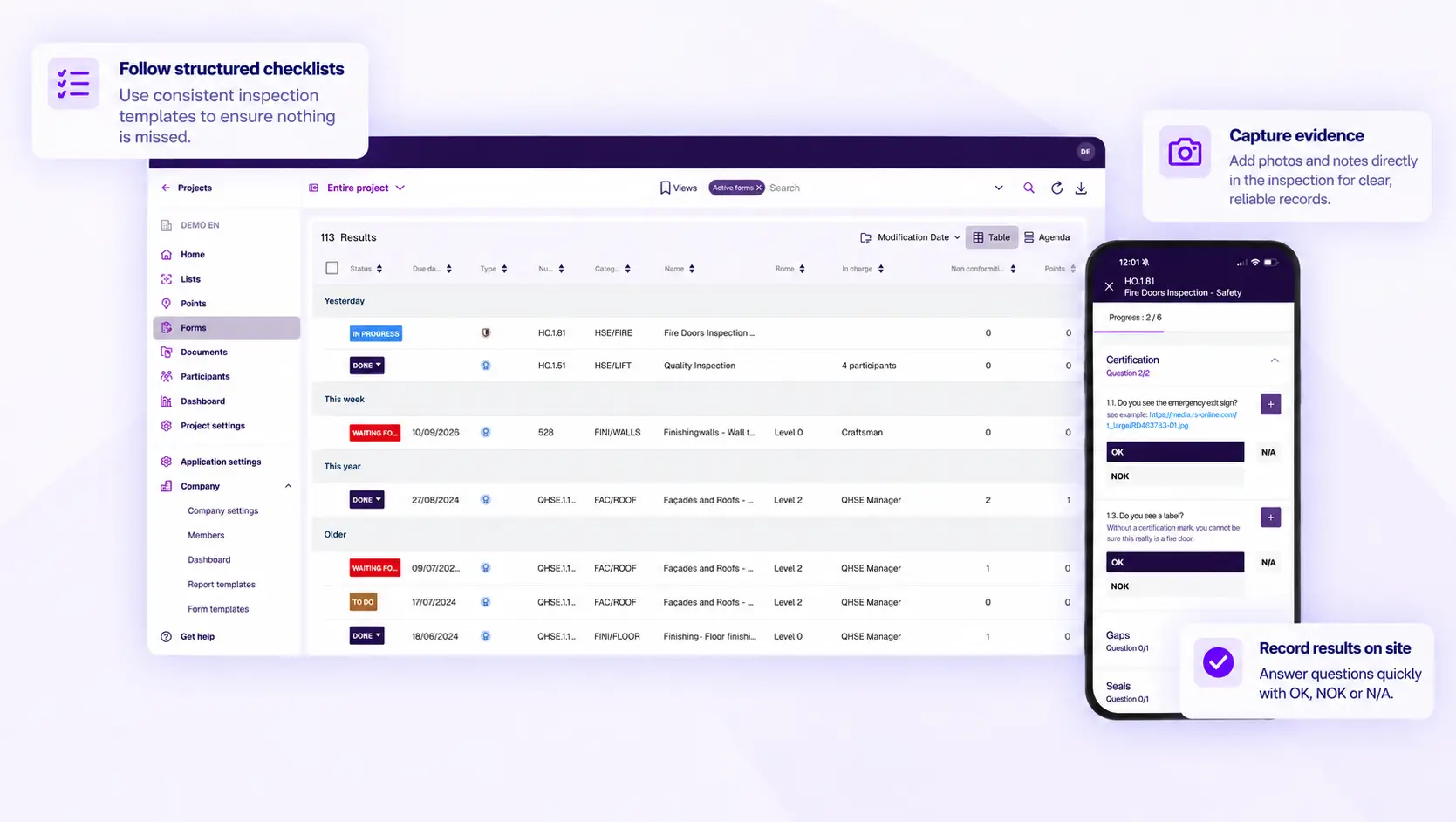
  1. Walk the building floor by floor and room by room with a checklist built for your project: finishes, MEP, external works. Everyone checks the same way and answers each item OK or not OK, so no room or trade is missed.

    • Use your own handover checklist or start from a template.
    • Let the client or architect walk with you on the same tablet.
    • See per walkthrough what is approved and what is still open.
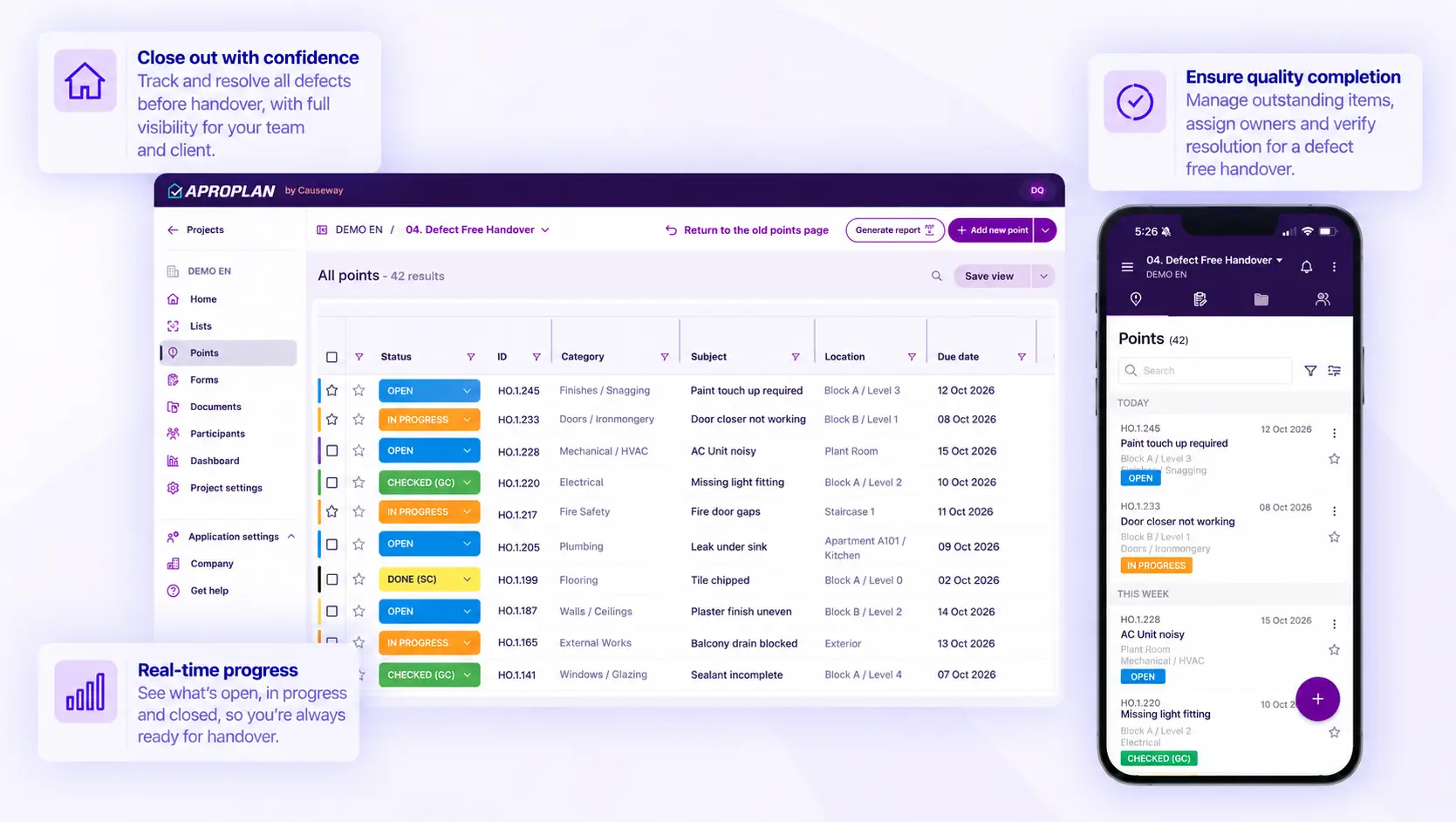
  2. Record each issue with a photo, description and location, even in a basement or a new build with no signal. Assign it straight away to the right subcontractor with a deadline. They only see their own items and add a photo of the repair as proof.

    • Snags with a photo and exact location.
    • Assigned to the right subcontractor, with a deadline.
    • Status per item: open, in progress, fixed.
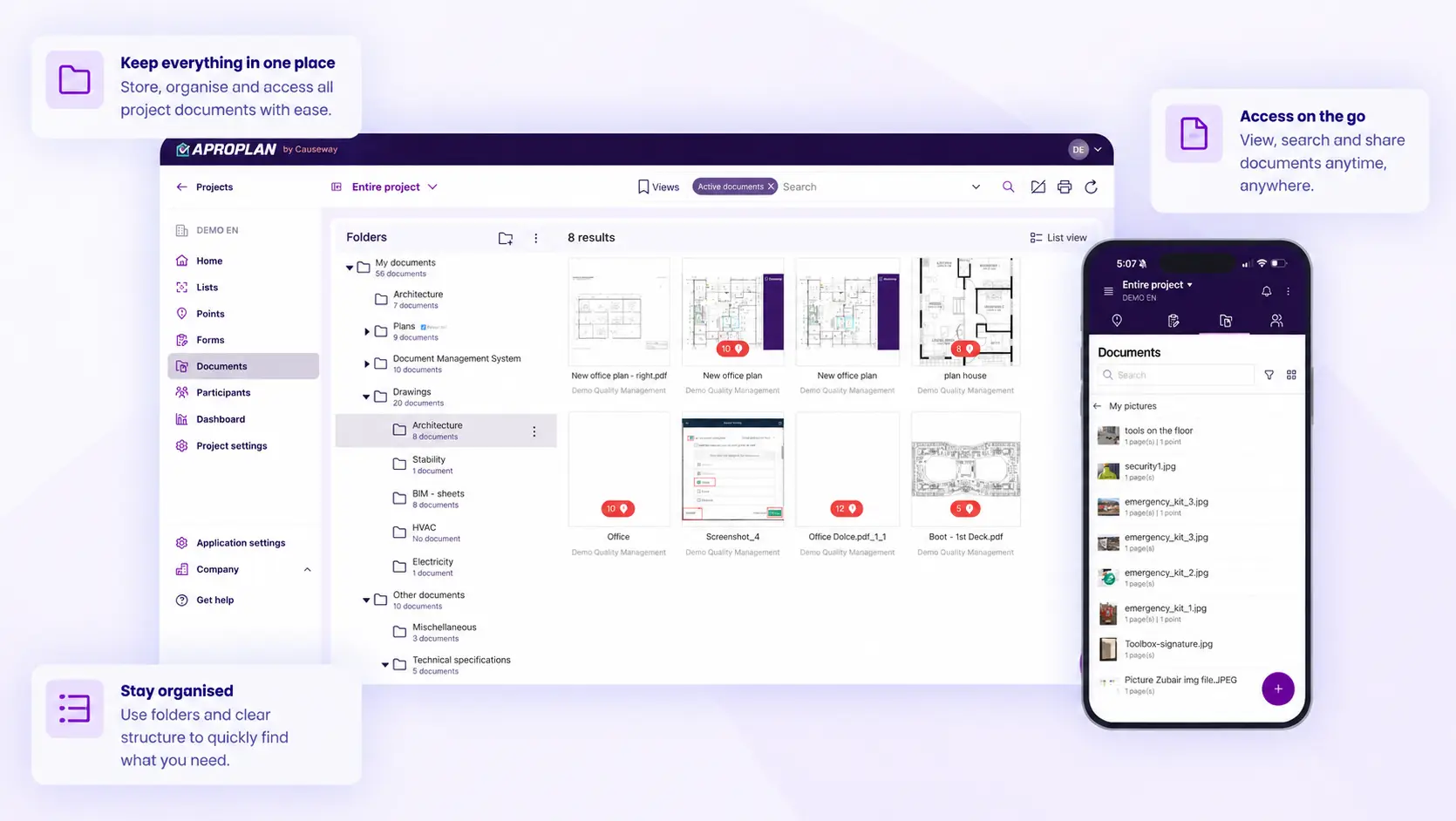
  3. Drawings, certificates, data sheets, photos and O&M manuals sit in the project, sorted into folders. You put the handover pack together without digging through inboxes or shared drives.

    • All project documents in one place, organised.
    • Photos and drawings linked to the right items.
    • Available on site from a smartphone.
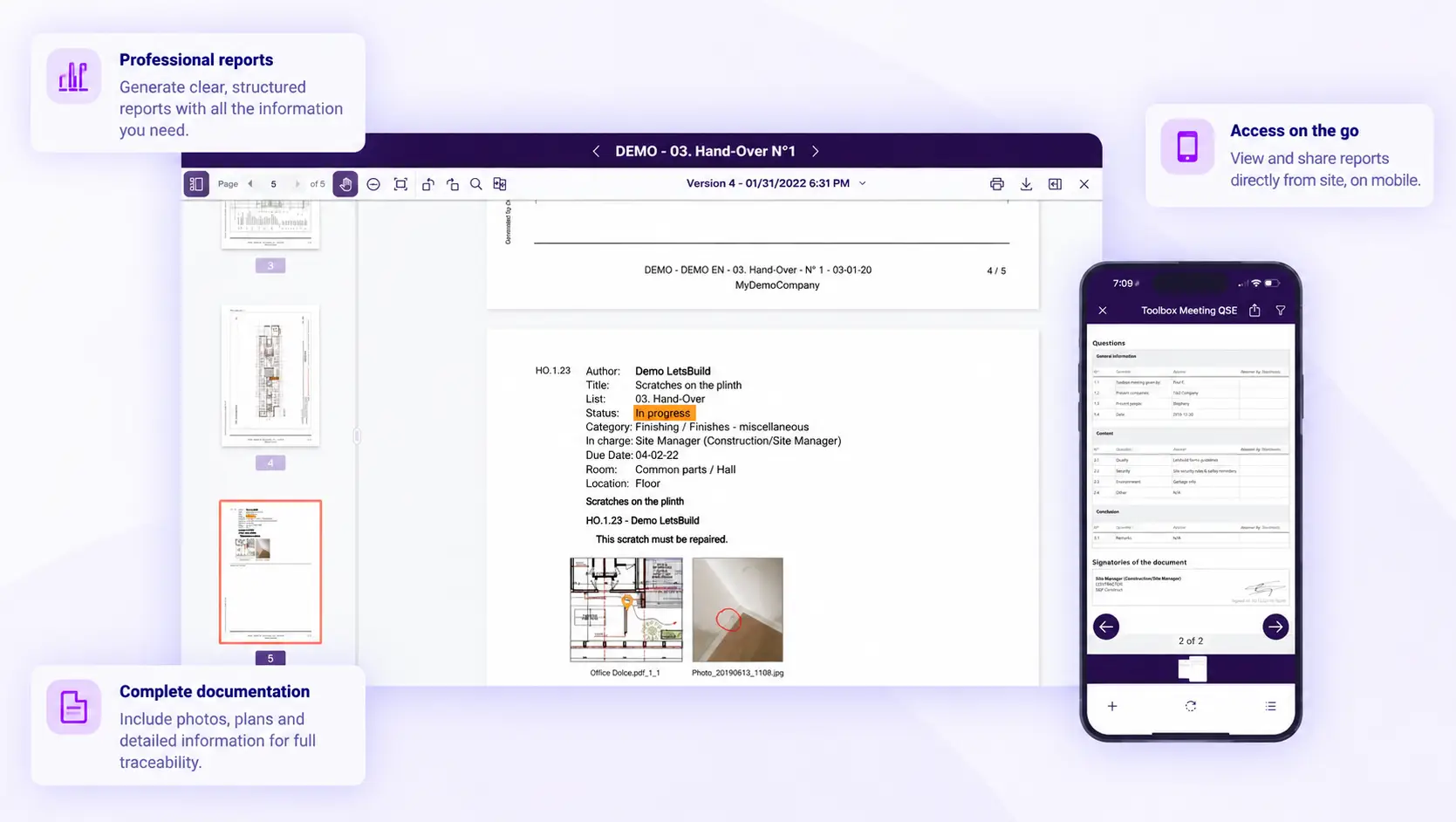
  4. Generate the handover report straight from the app: every item with its photo, plan location, owner and status. The client signs on a tablet or smartphone and the signed report goes straight into the handover pack.

    • Handover report as a PDF, ready to share.
    • Digital signature from the client.
    • Every version kept until final handover.
Inspections new Status per walkthrough OK or not OK per item Results recorded on site

Practical completion

Practical completion and final handover with Aproplan

At practical completion, the client inspects the works with the contractor and records the remarks that still need fixing. From then on, the defects liability period runs, usually 12 months, though the exact term is set in the contract. Final handover follows once every remark is resolved. With Aproplan you track both moments in the same project. For each remark you record who fixes it and by when, so at final handover you can show exactly what was done. Use this checklist for practical completion:

  • Walkthrough planned with client and architect
  • Checklist ready per room and per trade
  • Drawings and snag list available offline
  • Every snag with a photo and location on the plan
  • Remarks assigned to subcontractors
  • Deadline agreed for each repair
  • Repairs closed with photo proof
  • Handover report signed by the client
  • Certificates, drawings and O&M manuals in the handover pack
  • Open items tracked until final handover

FAQ

Construction handover software: FAQ

Everything contractors ask before they digitise their handovers. Still unsure? Book a demo and try it with your own checklists.

01 What is construction handover software?

Construction handover software lets a contractor run the handover digitally: log snags with a photo and location on the plan, assign them to subcontractors, track the repairs and produce a handover report that the client signs on site.

02 What goes into a construction handover report?

A handover report lists the project, date and attendees, every snag with its photo, plan location, owner and status, and the signatures of the contractor and client. In Aproplan the report is built automatically from the walkthrough data.

03 What is the difference between practical completion and final handover?

Practical completion is when the works are finished enough for the client to take them over, with a list of remarks still to fix. Final handover follows at the end of the defects liability period once all remarks are resolved. The terms and timing are set in the contract.

04 How long is the defects liability period?

It is usually 12 months from practical completion, but the contract decides. During this period the contractor must fix the remarks recorded at handover.

05 Can I log snags offline?

Yes. Download drawings and checklists beforehand and you can log snags, take photos and assign items without a connection. Everything syncs automatically once you are back online.

06 How do I share snags with subcontractors?

You assign each item to a subcontractor. They only see their own items, with the photo, plan and deadline, and add a photo once the repair is done. You then approve it or send it back.

07 Can the client sign the handover report digitally?

Yes. The client signs the handover report directly on a tablet or smartphone. The signed report is saved as a PDF in the project and can be shared right away.

08 What goes into a handover pack?

The handover report with any open remarks, as-built drawings, certificates and test reports, data sheets, warranties and O&M manuals. In Aproplan all these documents sit in the project, so you can deliver the handover pack in one go.

09 Does it work for residential and commercial projects?

Yes. Aproplan is used for apartments and houses, as well as offices, hospitals and infrastructure. You adapt the checklists, categories and handover report to the type of project, so it works for a single house or hundreds of units.

10 Can Aproplan connect to other software?

Yes. You can send project data to Power BI, Excel and SharePoint, connect Microsoft Dataverse, Dropbox and Cooperlink, or export to CSV. Snags and their status then sit alongside the rest of your project reporting.

Hand over your next project without a paper snag list

A specialist shows you how to manage snags, repairs and the handover report digitally, with your own checklists.

Site Manager and builder on a construction site